Notestark
Mark up what you read the way you would mark up paper — including the files on your own disk.
Two pieces, one idea
Reading and keeping what you read are the same act, split across two tools that do not talk to each other. Notestark closes that gap — starting with the highlighter, and then the place the highlights go.
Notestark for Chrome Available
Select text, pick a colour or an underline, and it stays — on the web and in the
local .md and .html files you open from disk.
What it does →
Notestark app In development
The notebook your highlights belong in. The extension is the bridge that carries them there. Where it stands →
Nothing leaves your device
The extension has no account, no server and no network request anywhere in it. Your marks are stored locally, and never in a cookie. That is not a promise you have to take on faith — the source is public under GPL-3.0, so every claim in the privacy policy can be checked against the code.
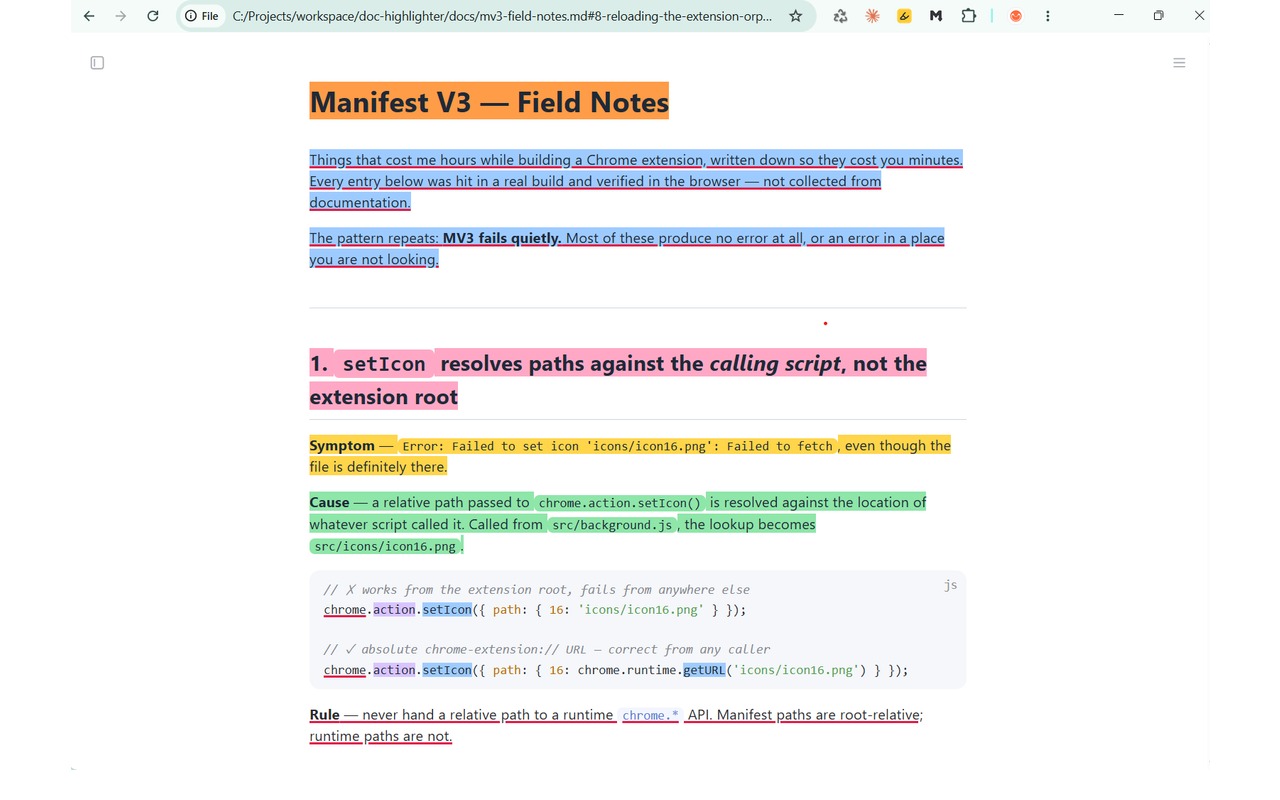
.md file opened straight from disk. Note the
file:// address — no server, no upload, no account.Where to go next
- The extension — what it does, what it needs, and its limits
- The app — what is being built, and what the bridge will carry
- Support — questions, bugs and how to reach a person
- Privacy policy and terms of use