Notestark for Chrome
Select text, pick a colour or an underline, and it stays. Close the tab, restart the browser, come back a week later — the marks are still there.
What it does
Your own files, not just the web
Local .md and .html opened straight from disk: exported
documentation, README files, API references, specs.
Nothing leaves your device
No account, no server, no network request anywhere in the extension. Marks are stored locally, and never in a cookie.
Six colours, plus underline
They combine — a passage can be yellow and underlined. Every colour keeps text at WCAG AAA contrast.
Marks survive edits
Each mark remembers the text around it, so it is found again when the document changes. Renaming a local file does not lose it.
Notes on a passage
Write a note on any mark. A small dot shows where one is, and the panel lists every note on the page beside the outline and the marks.
Translation, on your device
Translate a passage with the translator built into Chrome and keep the result as a note. Nothing is sent to a translation service.
See it
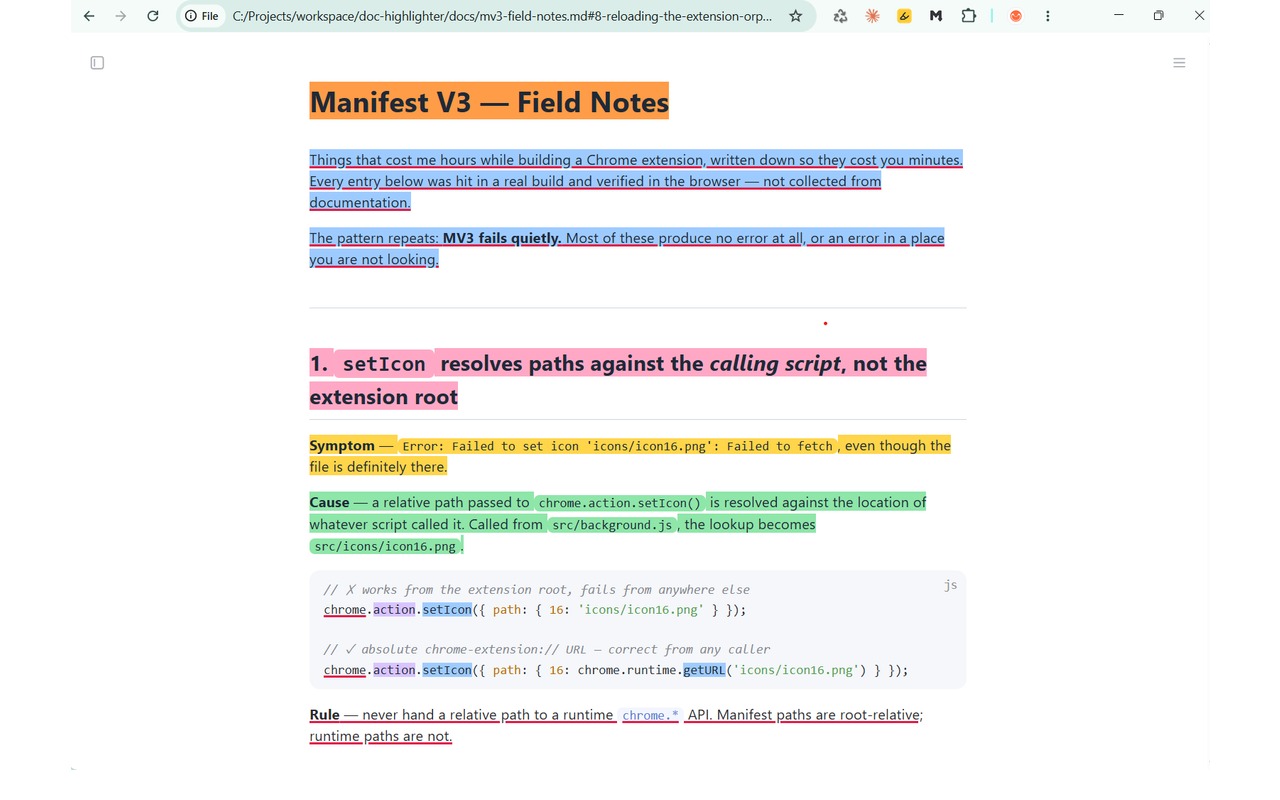
.md file opened straight from disk. Note the
file:// address — no server, no upload, no account.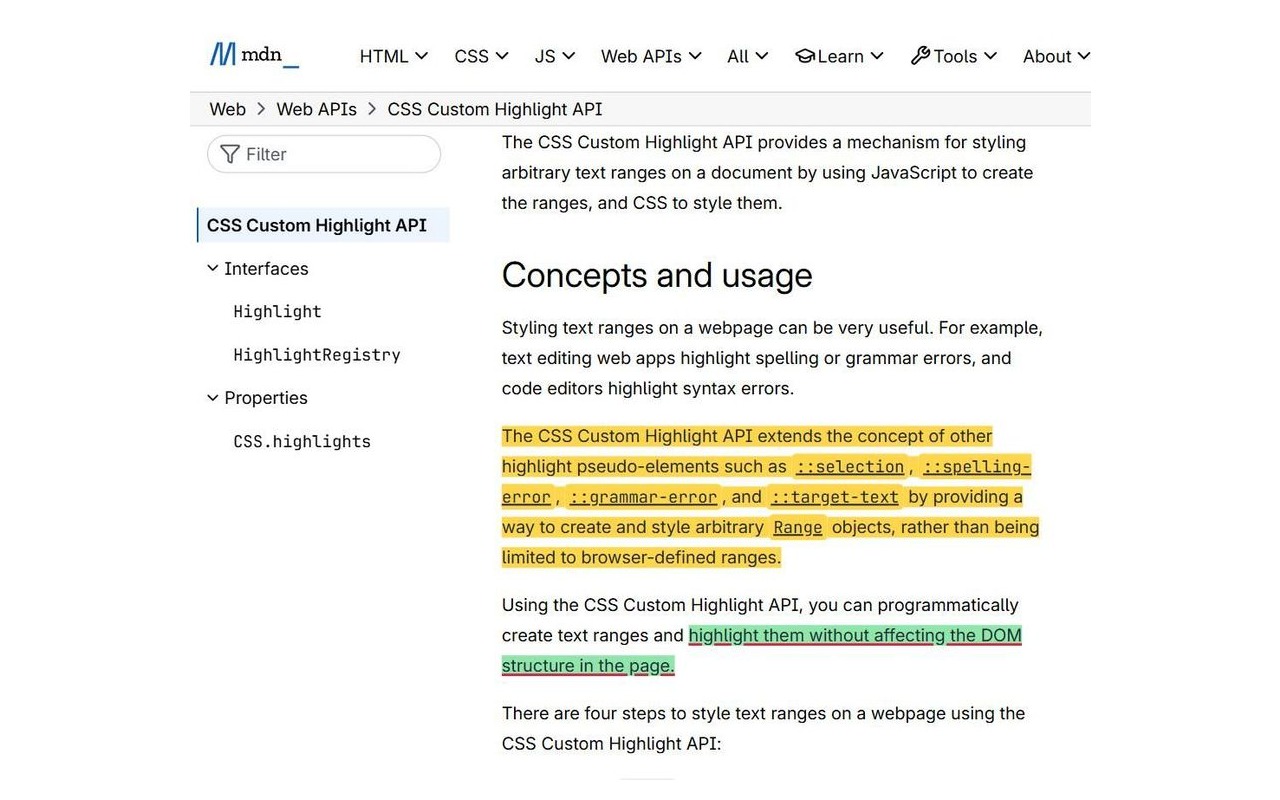
code chips covered
edge to edge.Turning it on where you need it
- Local files — Chrome keeps this behind its own switch. Open the extension's details page and turn on Allow access to file URLs. The extension cannot do this for you; only you can.
- Websites — click the toolbar icon and choose Enable on this site or Enable on all sites. Revocable from the same place, at any time.
Because website access is optional, installing the extension shows no permission warning at all.
Requirements and limits
- Chrome 105 or newer
- Translation needs Chrome 138 or newer, on desktop
- Chrome does not let any extension run on
chrome://pages, the Web Store, or other extensions' pages - Tags, and search across documents, do not exist yet — they are what the app is for
- Some single-page applications rewrite their address after loading, which can make a mark harder to find again
Support
Something not working, or an idea for it? The support page has the answers to the common questions and the address to write to.